
Step 1 : First step to add or edit your email is to login into mentis.
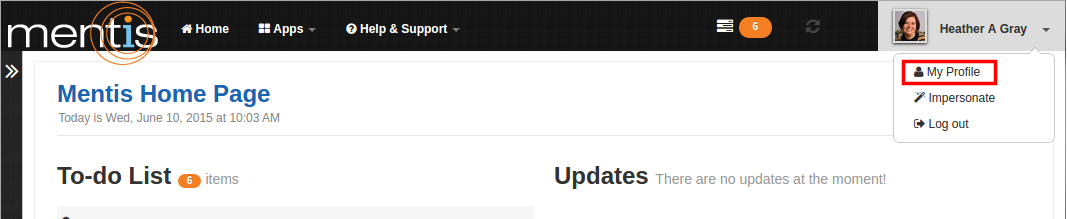
Step 2 : Click on “My Profile” present in the drop-down menu of profile name on top right-hand corner of the webpage.
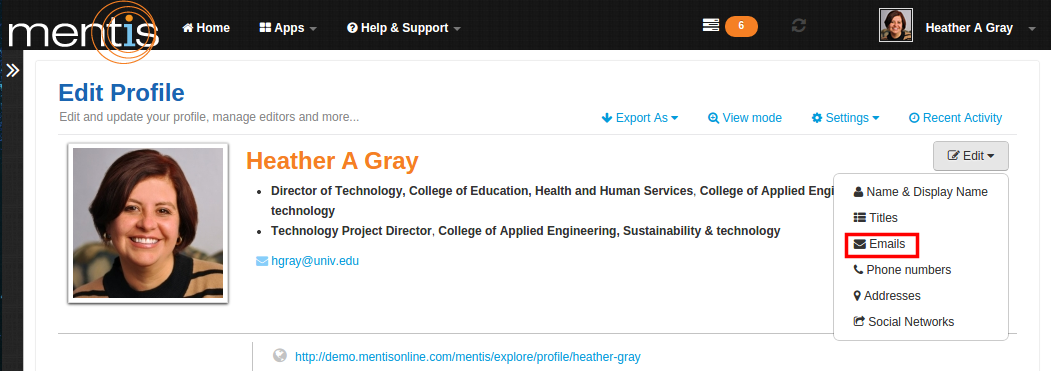
Step 3 : In “Edit Profile” click on “Edit” and select “Email” from the drop-down menu.
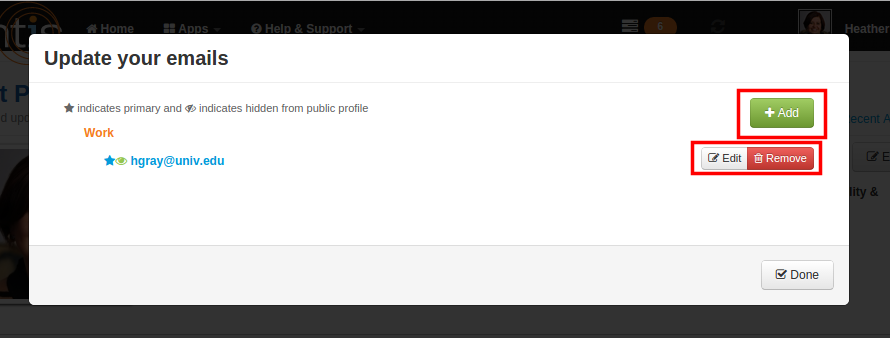
Step 4 : Now click on “Add” to add new email address. Here you can edit or remove any email address which was previously added.
Step 5 : Enter a valid email address in the text box. Ensure to choose a “Type”. The type for the email address can be set as work, personal or other. Select the checkbox “Set as Primary” and “Hide from public” if you want to hide email address.
Note : The "Set as Primary" check box allows you to set this as the primary email under your name. The "Hide from public" check box allows you to hide your email information from your profile page.

Step 6 : Now click on “Save”. This would be displayed as your email address.
Comments
0 comments
Please sign in to leave a comment.