
Step 1 : First step to edit your display name is to login into mentis.
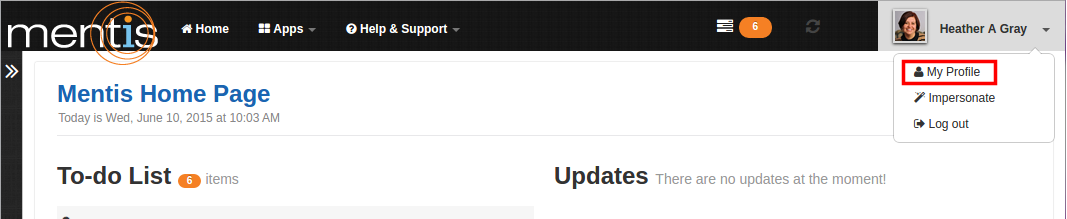
Step 2 : Click on “My Profile” present in the drop-down menu of profile name on top right-hand corner of the webpage.
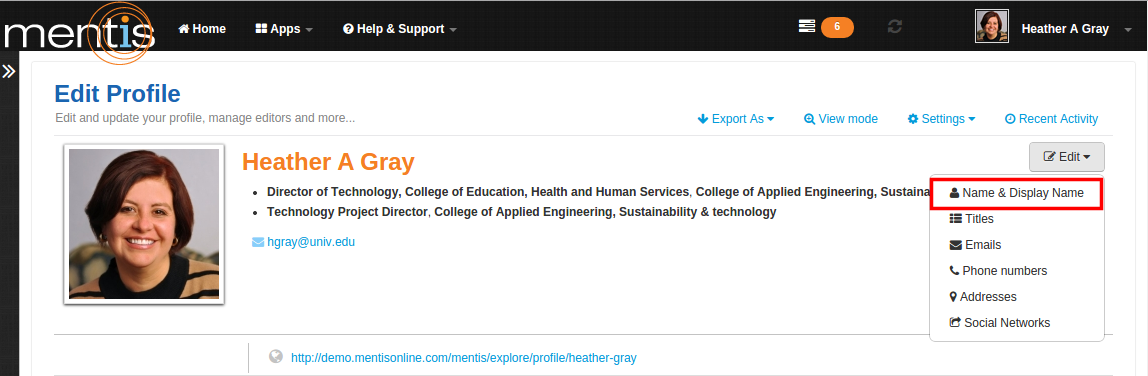
Step 3 : In “Edit Profile” click on “Edit” and select “Name & Display Name” from the drop-down menu.
Step 4: In "Edit your Name & Display Name" pop up box add your First, Middle and Last Name. Display name can be used to modify any portion of your full name.
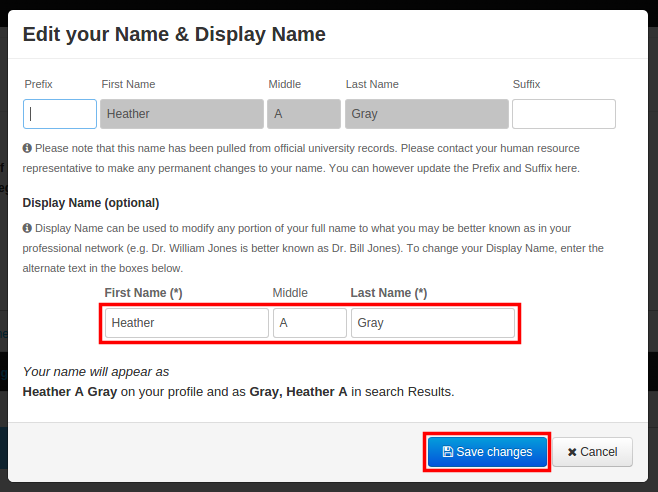
Step 5 : Now click on “Save Changes”. This would be displayed as your profile name.
Comments
0 comments
Please sign in to leave a comment.