
Step 1 : First step to add or edit your social networks is to login into mentis.
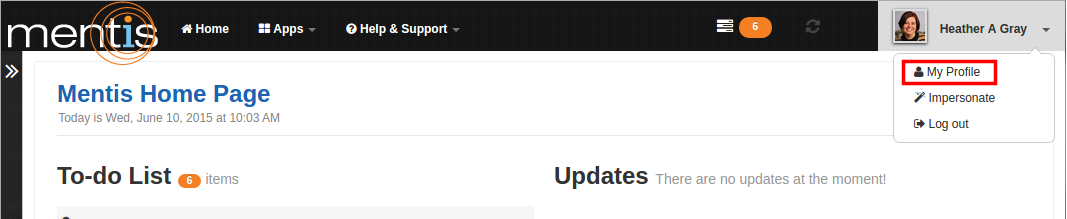
Step 2 : Click on “My Profile” present in the drop-down menu of profile name on top right-hand corner of the webpage.
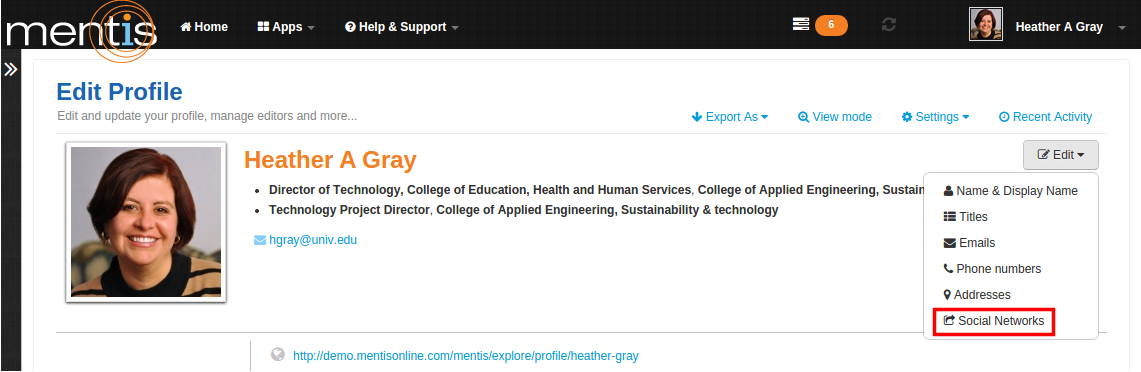
Step 3 : In “Edit Profile” click on “Edit” and select “Social Networks” from the drop-down menu.
Step 4 : Enter the account names, unique aliases, or IDs in Facebook, Twitter, Google+, LinkedIn whichever you want to link with your profile. You can also edit account names entered earlier. This will display, all the social network accounts you have entered,on your profile.
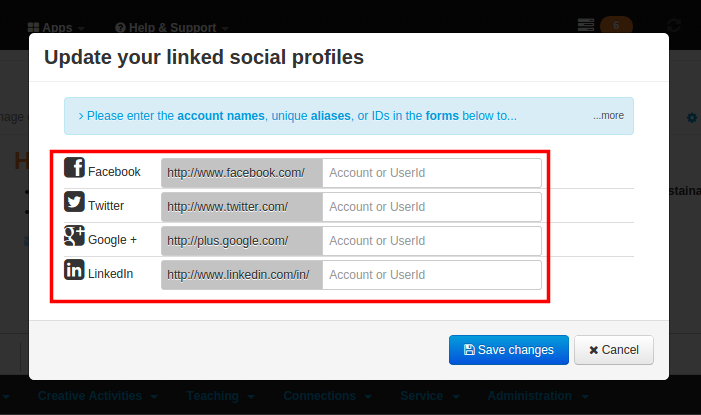
Step 5 : Click on “Save changes”. This would be displayed as the social networks that you are associated with, on your profile.
Comments
0 comments
Please sign in to leave a comment.