
Available Version Mentis 3.0.0 onwards
The article below walks you through the process of subscribing to a paid plan after a free trial, or upgrading/downgrading your existing plan.
Note: You can subscribe to a paid plan at any time during your free trial using these simple steps. Your subscription amount will depend on the number of users you would subscribe. You can choose from various user tiers and choose from annual or monthly billing frequency.
Changing Plans
1. Select Plans from the sidebar present under Manage Account.
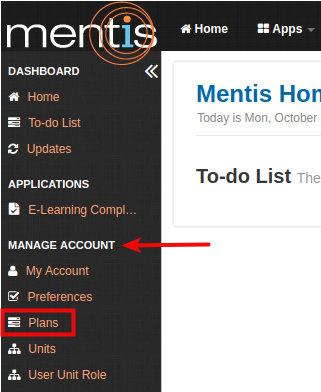
2. In Manage Plans, you can upgrade or downgrade your plan using "Change Plan" button present on the right-hand side.
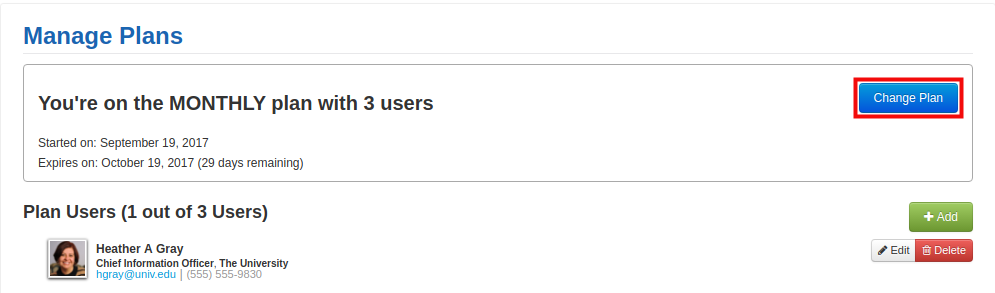
3. In Change Plan, you need to Choose your user tier (1) and your billing frequency (2). You can then use your existing payment method on file (if available) or enter a new payment method. When entering a new payment method, the name on the card (3), contact phone number (4), zip code for verification (5) and card details (6 - card number and cvc code)
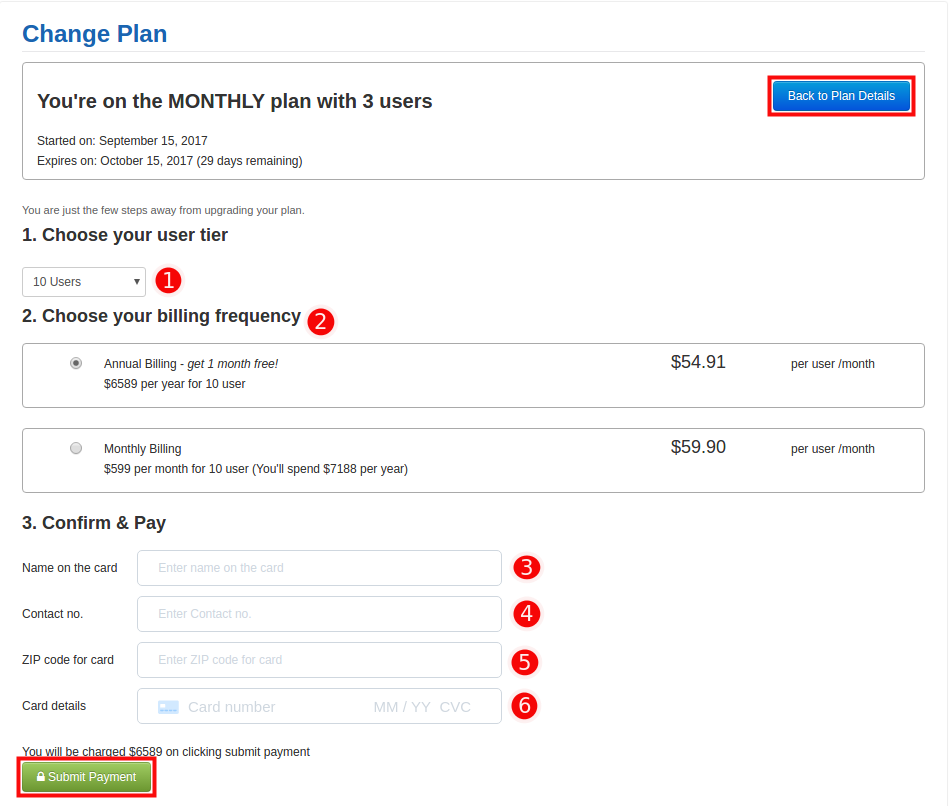
Note: If you wish to upgrade to a plan for more than 25 users, please contact us at support@inknowledge.com.
4. You can review the amount that you will be charged and then Click on Submit Payment.
Important: If you are requesting an upgrade (higher tier plan, or change from monthly to annual), your plan will be upgraded immediately. However, all downgrade requests will be recorded but charged at the end of the current billing cycle.
5. Your default payment method is saved and can be used for auto-renewals or change of plan.
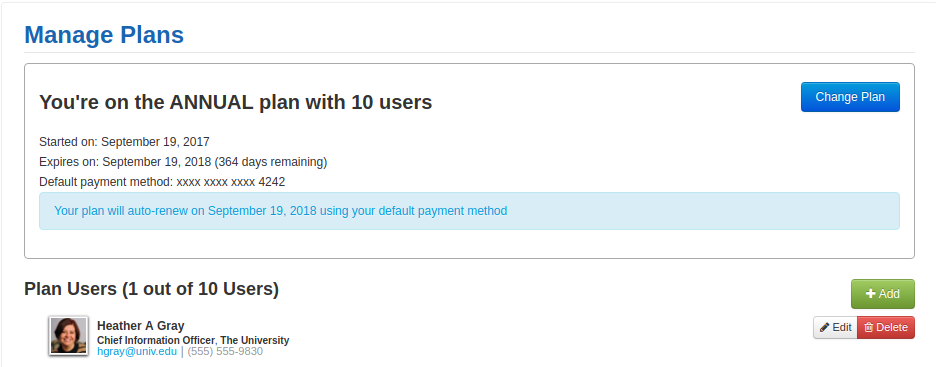
For any additional questions related to payment or plans, please visit our FAQ page.
Comments
0 comments
Please sign in to leave a comment.