
Available Version Mentis 3.0.0 onwards
The article below walks you through the process of adding or removing degree levels. Degree levels can be used for organising your programs in ELC.
Manage Degree Level
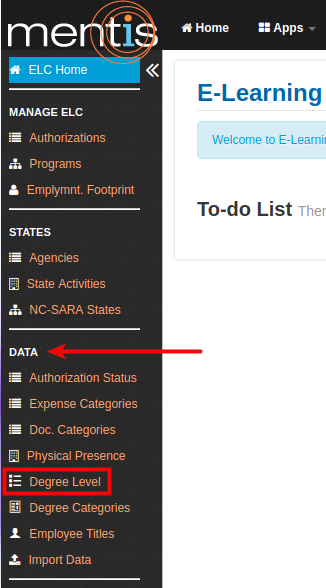
1. Once inside the ELC app, select Degree Level from the sidebar present under Data.
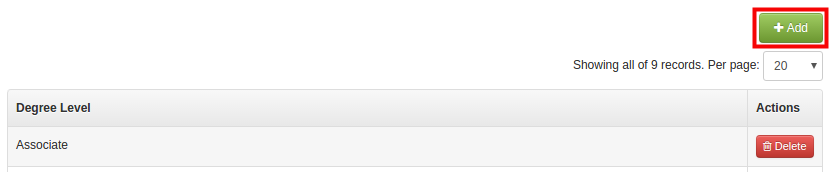
2. To add a new Degree Level, click on the Add button present on the right-hand side.
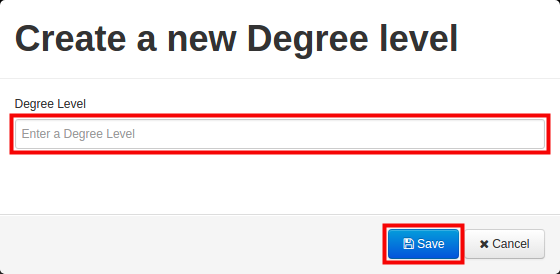
3. In Create a new Degree level, you need to add degree level. For e.g. Associate, Bachelors, Certificate, Graduate, Minor, Undergraduate, etc.
Note: Degree level is by default marked as verified.
4. Click on Save to save the record. Repeat the process to add additional Degree levels.
Delete Degree Level
1.You can delete a particular Degree level using delete button present under Actions.

Search for Degree Level
You can search for a Degree level by using search textbox. This action filters the Degree level to an exact match to your search query.

Comments
0 comments
Please sign in to leave a comment.