
Here you can add or edit document categories, which are used for adding documents required for state authorization of particular program.
Adding new document category
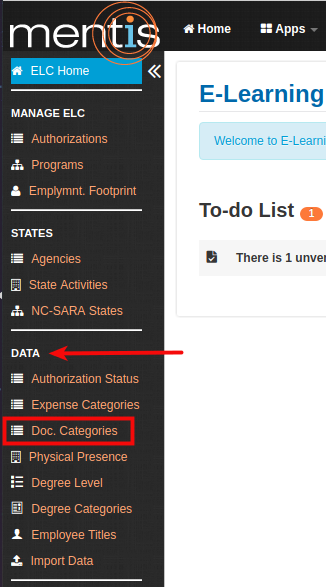
Once inside the ELC app, select Document Category present under Data from the sidebar.
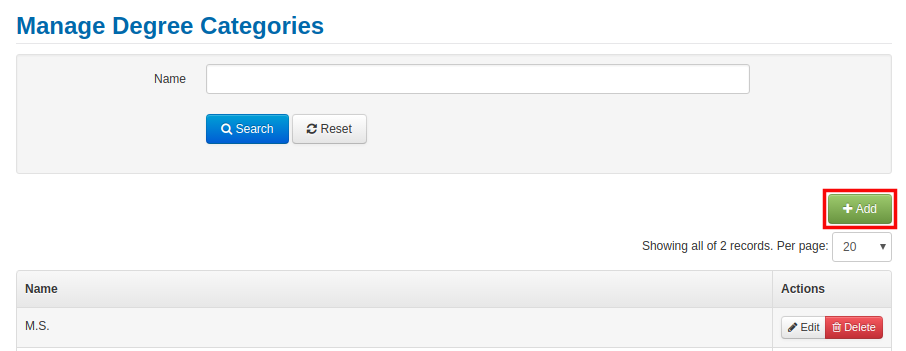
1. Click on Add button present on the right-hand side.
2. In Create a new document category you need to add details in the field name
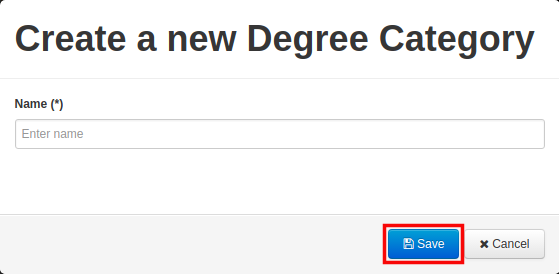
3. Now click on Save. This will be displayed as document category.
Editing or Remove document category
1. You can edit or delete document category by using Edit or Delete button present under Actions.

Reviewing document categories
1. You can review and manage document categories using search options for name present under Manage Document Categories.

Known issue: There are no stop-checks warning you or stopping you from entering duplicate records. We are working on this issue and will be resolved in a future release.
Comments
0 comments
Please sign in to leave a comment.